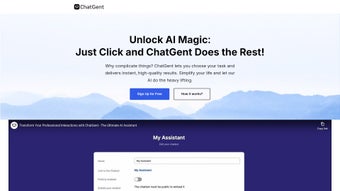

Download ChatGent – AI‑Powered Professional Assistant for Workplace Productivity
Overview
ChatGent is a cloud‑native, AI‑driven professional assistant that combines the latest GPT language models with enterprise‑grade security and a suite of productivity‑boosting tools. Built for teams of every size—from solo freelancers to global enterprises—the platform lets users automate repetitive tasks, retrieve critical knowledge from internal repositories, and generate polished written content in seconds. Imagine receiving a concise executive summary of a 50‑page market report without opening the file, or having a custom chatbot answer routine HR questions while you focus on strategic projects.
ChatGent’s dashboard is intentionally designed for non‑technical users, offering drag‑and‑drop bot creation, pre‑built templates, and a visual workflow editor that removes the need for coding. At the same time, power users can tap into a REST API, custom scripting console, and webhooks to extend functionality far beyond the out‑of‑the‑box features. Security is baked in: all data is encrypted at rest (AES‑256) and in transit (TLS 1.3), role‑based access controls enforce the principle of least privilege, and the platform complies with GDPR, CCPA, and ISO 27001.
Although ChatGent currently lacks native iOS or Android apps, its responsive web interface works smoothly on tablets and modern browsers, ensuring that teams can stay productive from any workstation. With a generous free tier that includes up to three active bots and core AI capabilities, plus tiered paid plans for unlimited bots, advanced analytics, and dedicated support, ChatGent positions itself as a cost‑effective, secure, and scalable AI assistant for the modern workplace.
Key Features That Transform Everyday Workflows
The true power of ChatGent lies in its breadth of features, each engineered to shave minutes—or even hours—off daily tasks. Below is a curated list of the most impactful capabilities, followed by a brief explanation of how they can be applied in real‑world scenarios.
- Custom Chatbot Builder: A visual, drag‑and‑drop interface lets you design AI agents that can answer FAQs, schedule meetings, or route tickets without writing a single line of code.
- Knowledge Retrieval Engine: Semantic search across PDFs, Word documents, spreadsheets, and internal wikis provides instant answers to employee queries, reducing time spent digging through folders.
- Executive Summary Generator: Upload a long report or paste a URL, and the AI creates a bullet‑point brief that highlights key insights, trends, and recommendations.
- Data Trend Identification: Connect spreadsheets or APIs; the system visualizes outliers, patterns, and predictive insights, turning raw numbers into actionable intelligence.
- Content Creation Suite: Generate blog posts, newsletters, social‑media captions, and email drafts that match your brand voice, complete with SEO suggestions.
- Secure Collaboration: Two‑factor authentication, end‑to‑end encryption, and granular permissions keep sensitive data locked down while enabling teamwork.
- Integration Hub: Native connectors for Slack, Microsoft Teams, Google Workspace, Zapier, and major CRMs allow you to embed AI assistance directly into existing workflows.
- Analytics Dashboard: Real‑time metrics on bot usage, response accuracy, and content performance help you iterate and improve continuously.
- Flexible Subscription Plans: A free tier for up to three bots, a Pro plan for unlimited bots, and an Enterprise tier with dedicated SLA‑backed support.
- Continuous Updates: Monthly model upgrades ensure the AI stays current with the latest language capabilities and security patches.
Installation & Usage – Getting Started in Minutes
Because ChatGent is delivered as a SaaS solution, there is no traditional installation process—just a few clicks to get you up and running. Begin by navigating to chatgent.com and selecting the “Sign Up” button. After entering your corporate email, you’ll receive a verification link; completing this step also offers the option to enable two‑factor authentication for added security.
Once your account is active, an onboarding wizard guides you through the creation of your first chatbot. Choose a template that matches your use case—Customer Support, Internal Help Desk, Sales Lead Qualifier, or a custom blank canvas. You’ll then define the bot’s personality, tone, and branding elements, followed by linking data sources such as Google Drive, SharePoint, or an on‑premise file server via secure OAuth tokens.
The wizard also lets you map common intents (e.g., “reset password” or “schedule demo”) to pre‑built actions, dramatically reducing the need for custom scripting.
After publishing, you embed the bot on any website or internal portal with a single line of JavaScript, or you invite it to a Slack channel using the generated integration URL. The live console within the dashboard displays ongoing conversations, lets you edit responses on the fly, and provides a “Teach” button to train the model with new examples. For knowledge retrieval, simply drag files into the Knowledge Base area; the system automatically indexes each document, making every paragraph searchable. To generate an executive summary, drag a PDF into the “Summarize” widget or paste a URL; within 30 seconds you receive a concise, bullet‑point version ready for copy‑paste into reports or emails.
While the platform is optimized for desktop browsers (Chrome, Edge, Firefox, Safari), it also offers a responsive layout that works on tablets, ensuring that you can manage bots or retrieve information without a dedicated mobile app. All user activity is logged, and you can export conversation histories or analytics reports in CSV or PDF format for compliance audits. If you encounter any issues, the Help Center provides step‑by‑step articles, and live chat support is available 24/7 for Pro and Enterprise customers.
FAQ & Conclusion – Your Next Steps with ChatGent
Is ChatGent suitable for small businesses?
Absolutely. The free tier supports up to three active bots and includes core features such as knowledge retrieval, content generation, and basic analytics—enough for startups and small teams that want to automate routine tasks without a large budget.
Can I integrate ChatGent with my existing CRM?
Yes. ChatGent offers native connectors for popular CRMs like Salesforce, HubSpot, and Zoho. For custom systems, the REST API enables secure data exchange, allowing bots to create or update records directly from conversations.
How does ChatGent handle data privacy?
All data is encrypted at rest (AES‑256) and in transit (TLS 1.3). Role‑based permissions let administrators control who can view, edit, or delete content. The platform complies with GDPR, CCPA, and ISO 27001, and you can configure data retention policies to meet internal compliance requirements.
Do I need technical expertise to create a chatbot?
No. The drag‑and‑drop builder and pre‑made templates enable non‑technical users to launch functional bots within minutes. Advanced users can still access a scripting console for custom logic, API calls, or complex data transformations.
What kind of support is available for Enterprise customers?
Enterprise clients receive a dedicated Customer Success Manager, 24/7 live chat and phone support, SLA‑backed response times, and priority access to new feature releases and security patches.
Conclusion
ChatGent consolidates the most powerful capabilities of modern generative AI into a single, secure, and user‑friendly platform. By automating knowledge retrieval, summarizing dense documents, surfacing data trends, and generating high‑quality content, it empowers teams to focus on strategic work rather than repetitive chores. The visual chatbot builder removes the barrier of coding, while the robust integration hub ensures that AI assistance can be embedded wherever your teams collaborate.
Although the absence of a native mobile app may be a drawback for users who demand on‑the‑go access, the responsive web interface delivers a smooth experience on tablets and laptops, making it a viable solution for most work environments. With transparent pricing—including a functional free tier—and enterprise‑grade security, ChatGent offers a compelling value proposition for businesses aiming to boost productivity, maintain brand consistency, and stay ahead of the AI curve. Ready to experience AI‑driven efficiency?
Download ChatGent today and start building your first assistant within minutes.



.png)



